How members opt in to text messages
This page exists so the Porch Swing SMS consent flow can be reviewed without a login. It shows the actual screen members see, the exact wording a member agrees to, and the disclosures displayed alongside it. The same screen appears in our iOS and Android apps and on our website.
Consent is optional. Members do not need to agree to text messages to create an account, post a gift, receive a gift, or use any part of Porch Swing. The checkbox is separate from account creation and is never pre-checked.
The opt-in screen
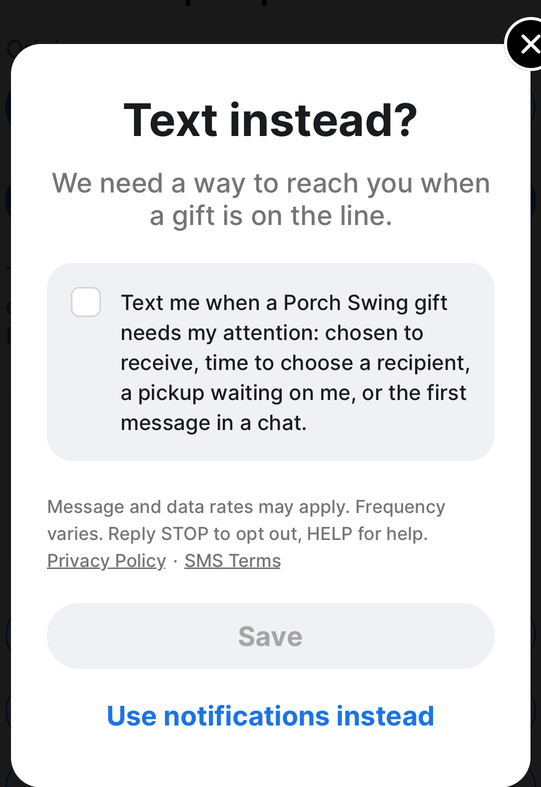
The Save button is disabled until the member ticks the box themselves. No consent can be recorded without that deliberate action.
Where this screen appears
Porch Swing is a neighborhood gifting app. Members post gifts and claim gifts their neighbors post.
- A member posts a gift, or taps to express interest in someone else’s.
- We ask whether they want push notifications about it.
- If they decline, we show this screen, offering text messages as an alternative way to be reached.
Members can also reach the same screen at any time from Settings → Text messages, and can turn texts off in the same place.
On our website
Members who use Porch Swing in a browser rather than the app reach the identical screen a third way. After signing in and tapping to express interest in a gift, they are shown a prompt confirming the interest was saved, offering both the app and text messages:
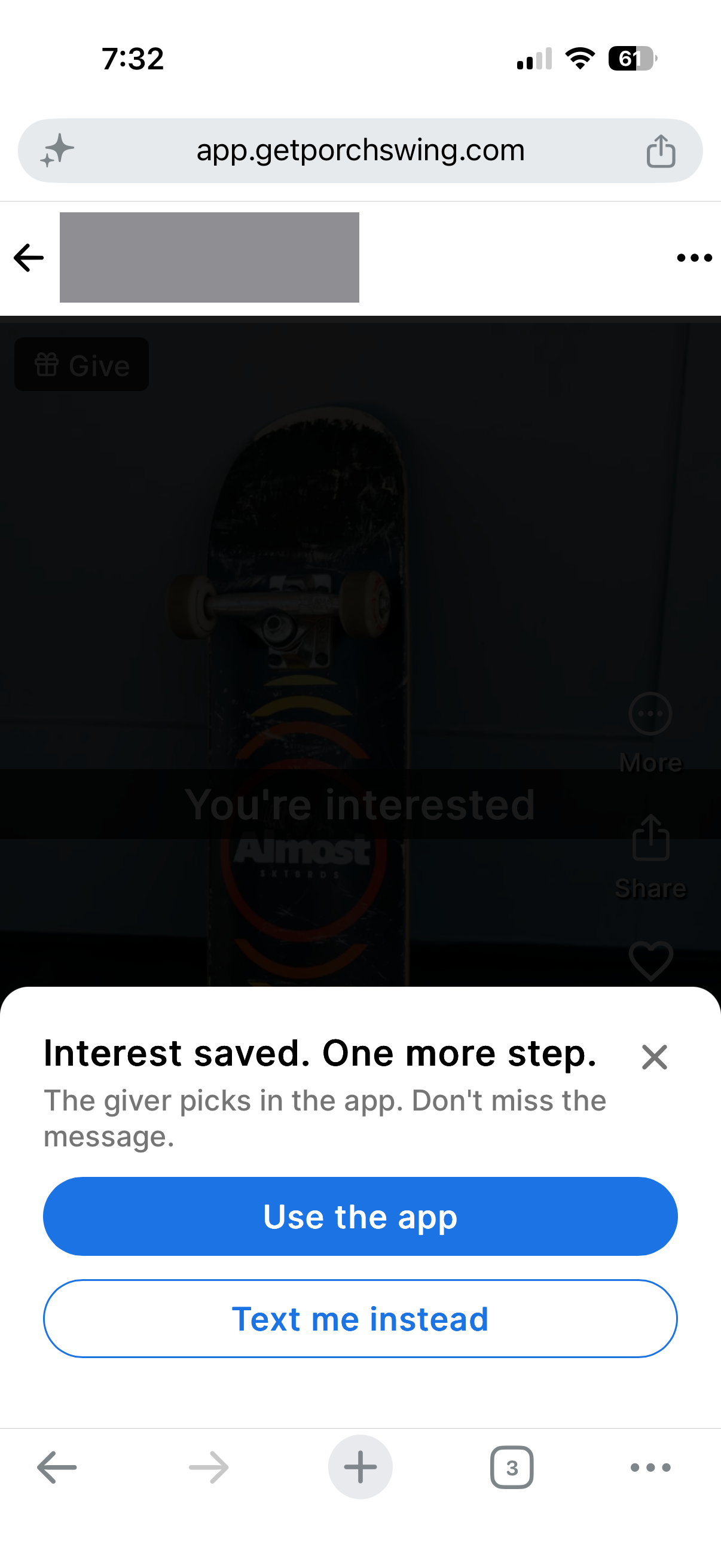
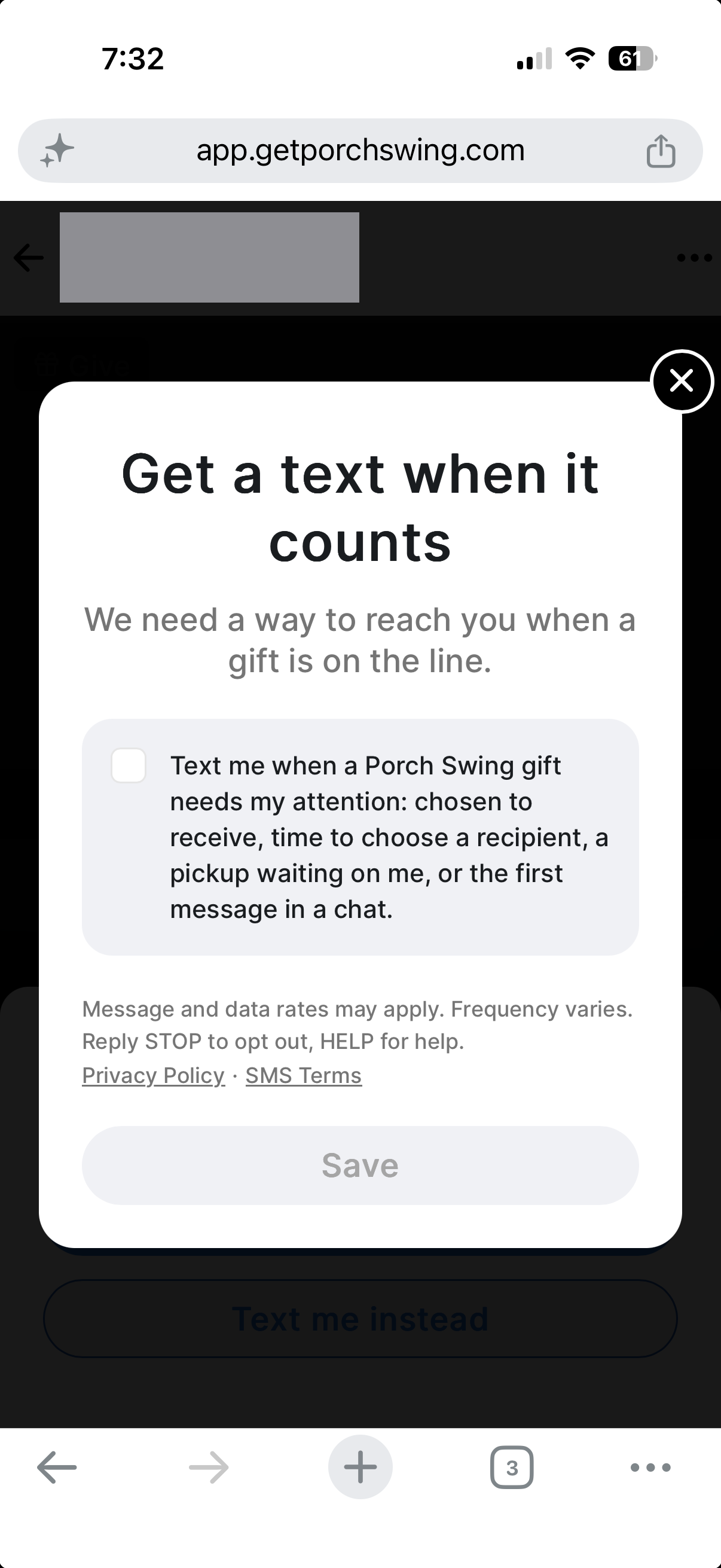
Nothing about text messages is required to continue: the member can choose Use the app, or close the prompt entirely, and their interest is already saved either way. Choosing Text me instead opens the same consent screen shown above, with the same unchecked box, the same wording and the same disclosures. It is offered only to members who are already signed in and whose mobile number is already verified, and it is not shown to members who have already turned text messages on.
Before an area opens
Porch Swing opens a neighborhood once enough neighbors nearby have joined. Members who sign up before their own area opens see a You’re early home screen instead of a gift feed, and can ask to be told the one time their area does open.
This is a separate consent, not the screen above reached a fourth way. It is a different checkbox, with its own wording, covering a different message. A member can agree to one and not the other, and turning either off leaves the other untouched.
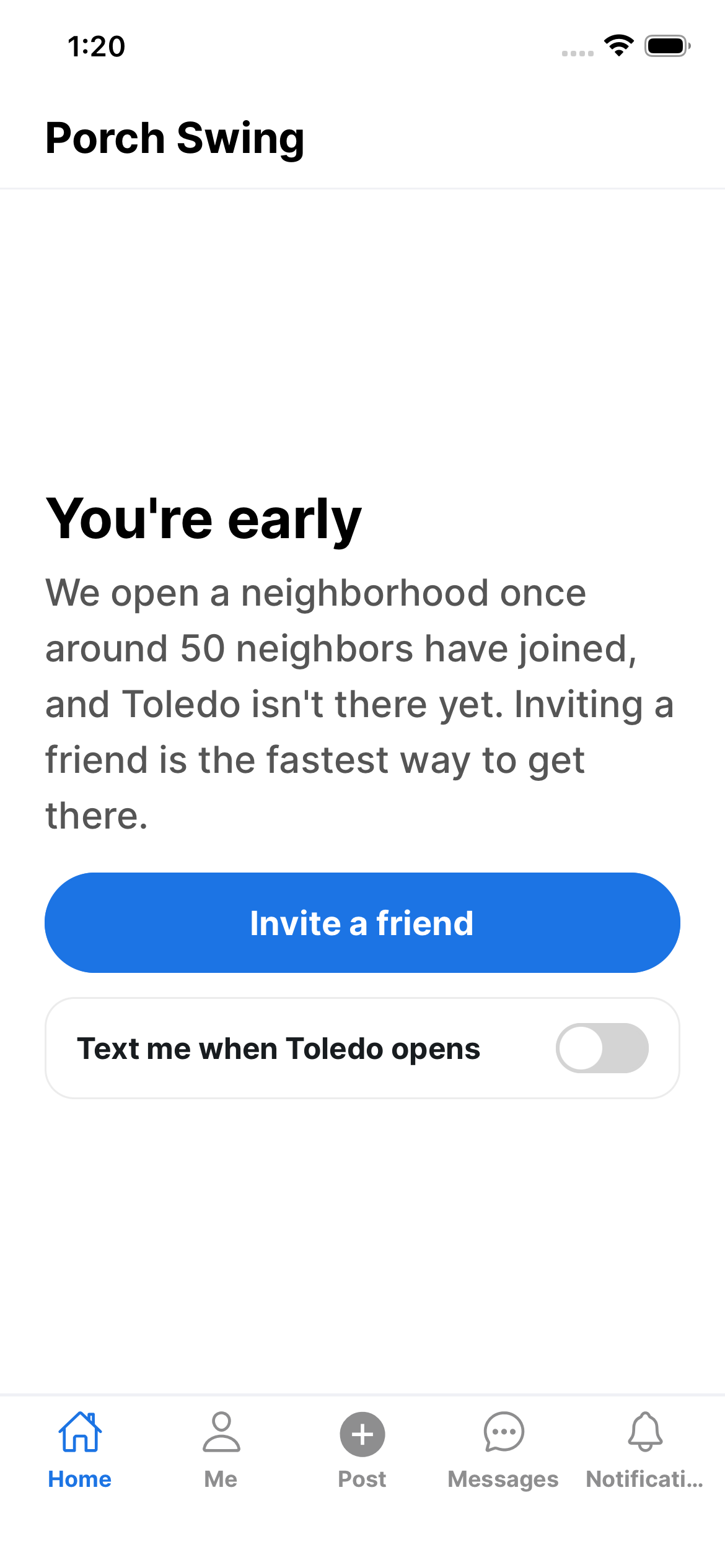
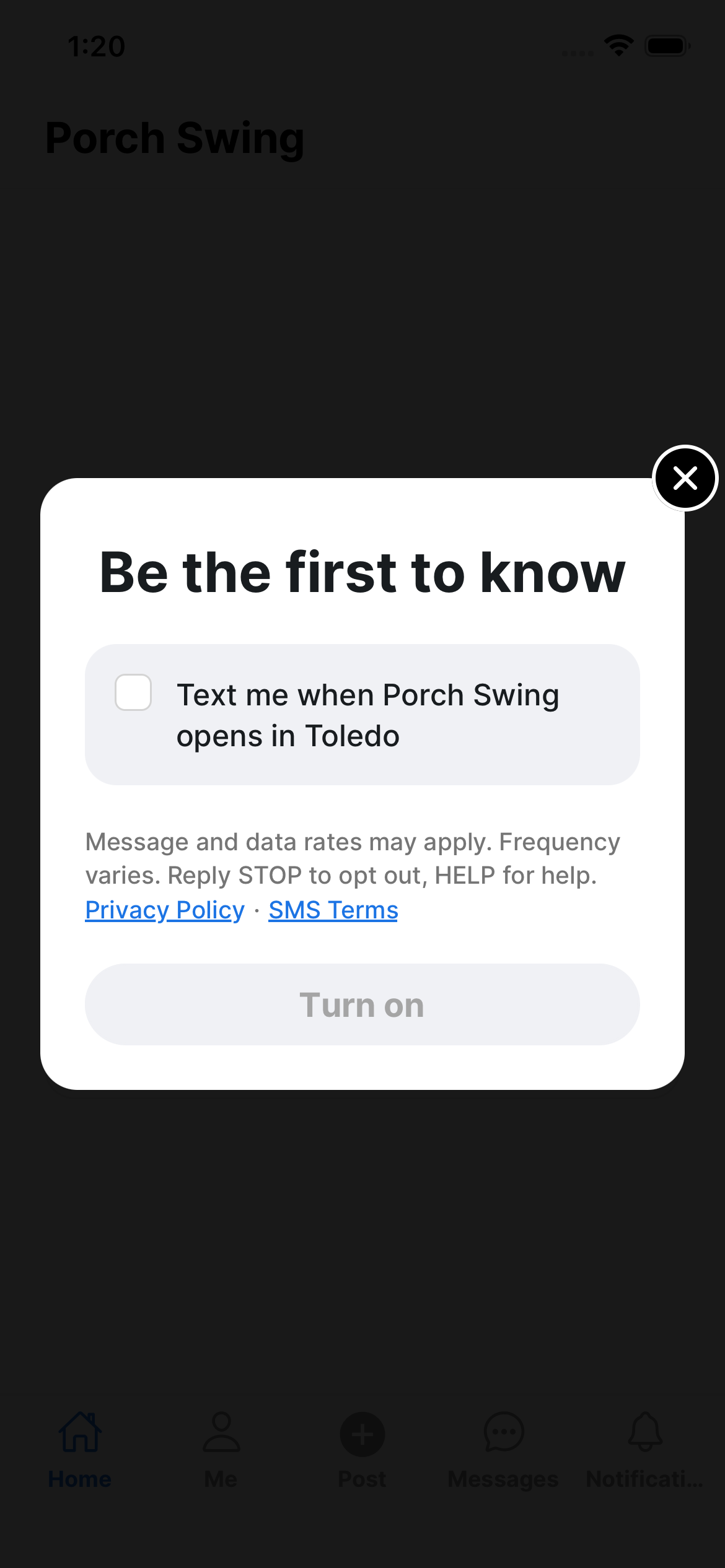
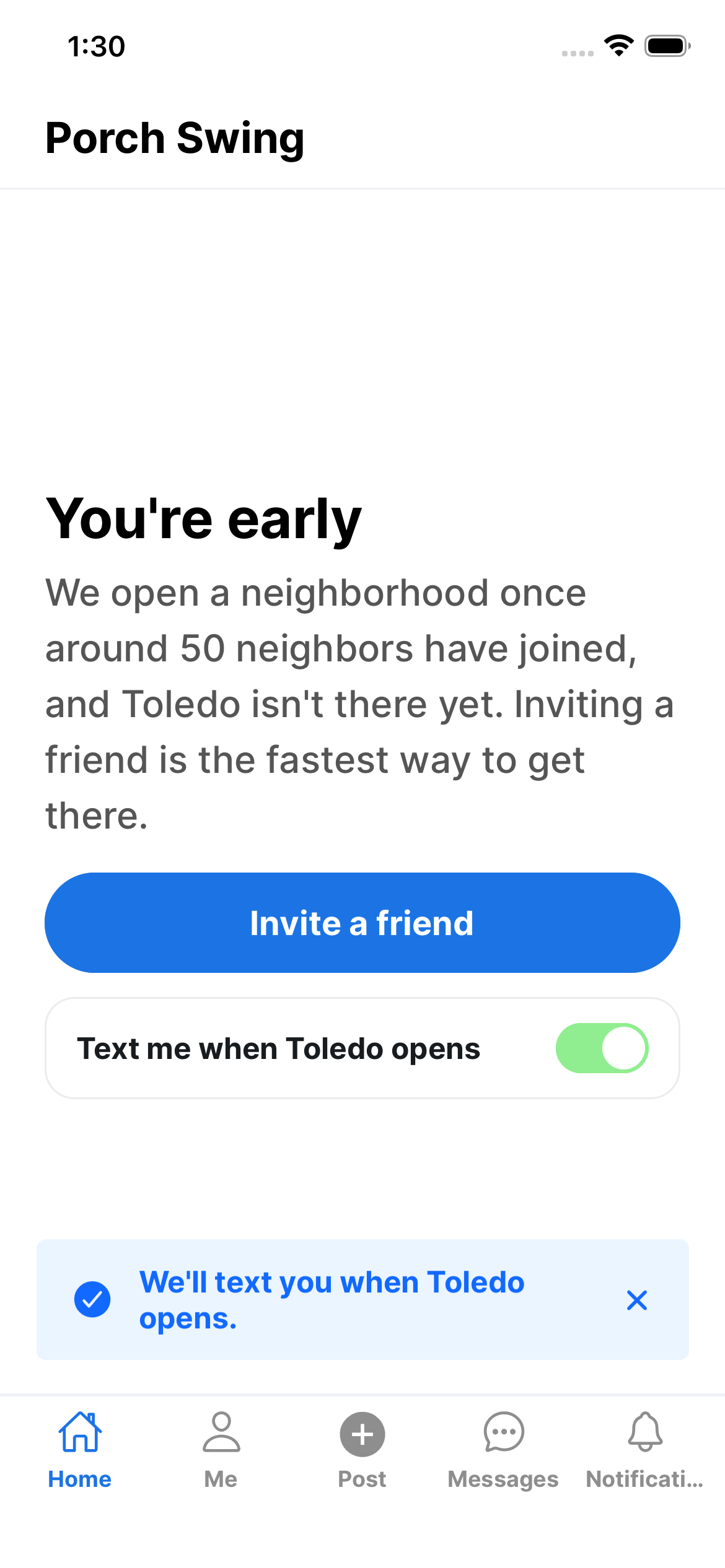
The row starts off. Tapping it opens the card in the middle image, where the box is unchecked and the Turn on button is disabled until the member ticks it themselves - the same deliberate action the gift opt-in screen requires. The third image is the result: the row on, and a confirmation of what was agreed to.
The consent covers exactly one message: a single text when that member’s own area opens. It is not a subscription to anything else, and it grants no consent for the gift notifications described above. Turning the row back off, or replying STOP, ends it.
Where the phone number comes from
The number we text is the member’s own mobile number. They type it in themselves when they create their Porch Swing account, then confirm it by entering a one-time code we send to that number, so it is verified as theirs before any of this applies. We never buy, rent, or receive phone numbers from third parties, and we do not text a number that has not completed this step.
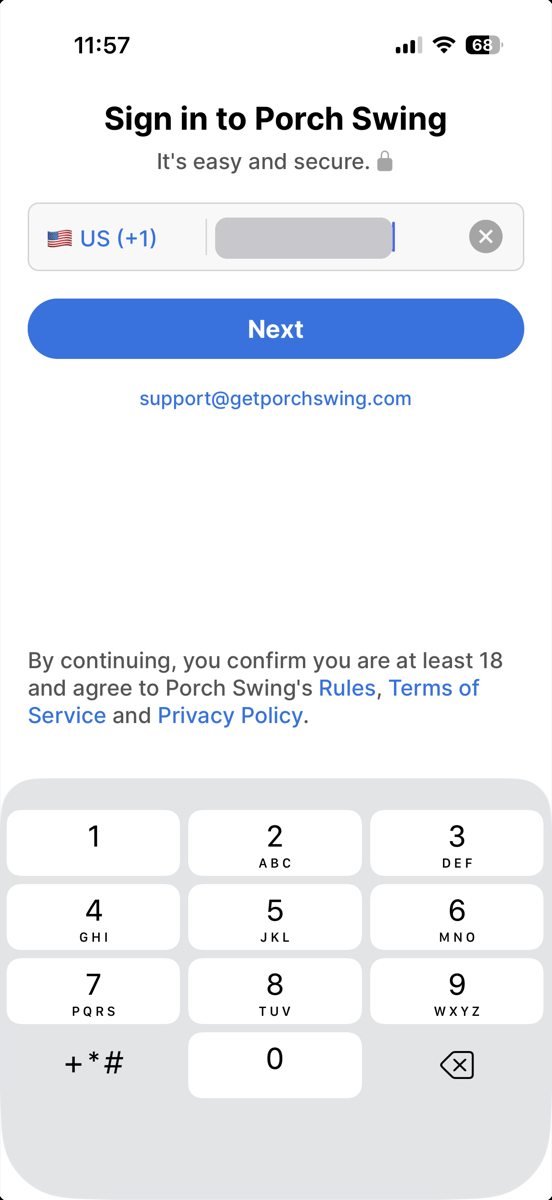
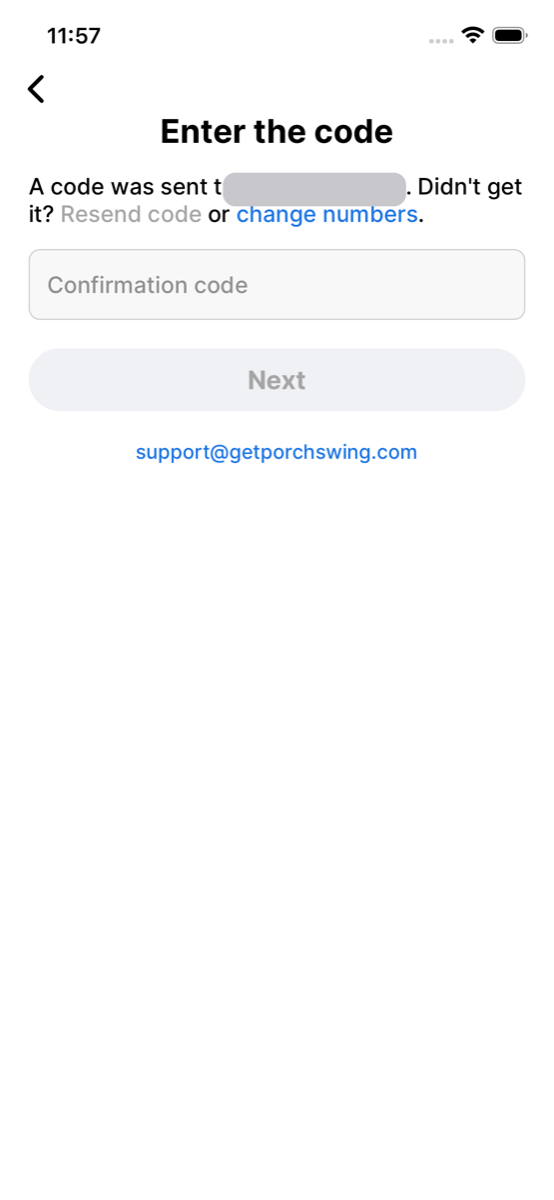
Having an account is not consent. Signing in, and verifying the number, permits nothing beyond that code itself. Text messages begin only if the member later ticks the box on the screen above, and stop as soon as they untick it or reply STOP.
Turning texts off
Consent is shown back to the member as a switch in their own settings, under Communication → Text messages. Turning it off stops all text messages immediately, and needs no reply to us and no support request.
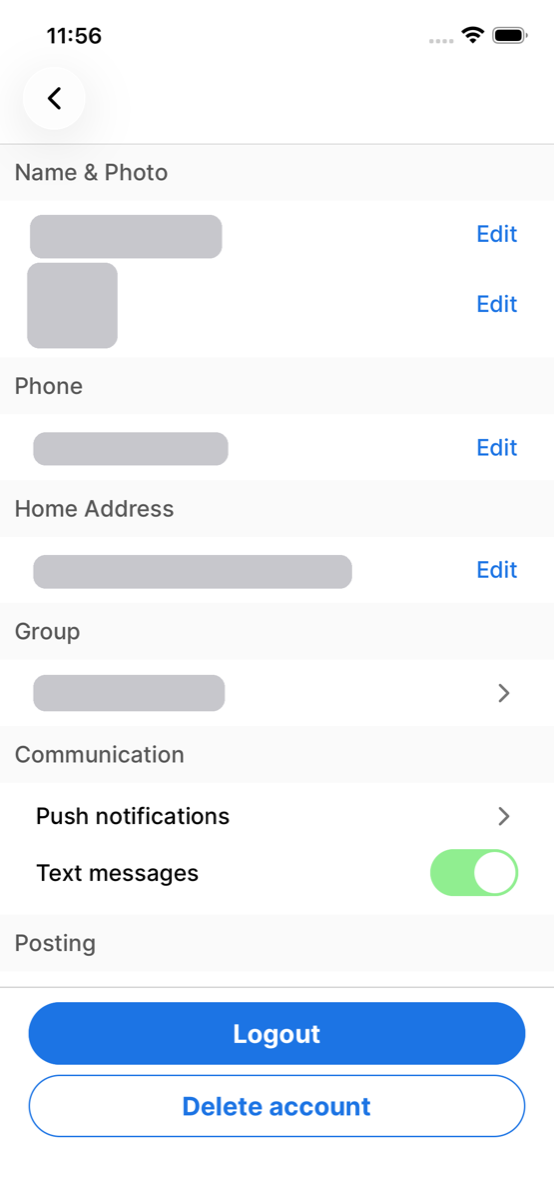
The grey bars in these screenshots cover one member’s personal details. Nothing else in them is altered.
The exact wording a member agrees to
Text me when a Porch Swing gift needs my attention: chosen to receive, time to choose a recipient, a pickup waiting on me, or the first message in a chat.
Members whose area has not opened yet can separately agree to one text when it does. That is its own consent, recorded separately, and its own wording:
Text me when Porch Swing opens in {city}
{city} is the member’s own area, filled in from the home address they gave us. The screenshots above read “Toledo” because that is where the member in them lives.
The disclosures shown on the same screen
Displayed directly beneath the checkbox, above the Save button, before a member can submit:
Message and data rates may apply. Frequency varies. Reply STOP to opt out, HELP for help. [Privacy Policy] · [SMS Terms]
What we send
Only transactional notifications about a member’s own gifts, and only when we cannot reach them by push notification:
- They were chosen to receive a gift
- A pickup is waiting on them
- Their gift ended and they need to choose a recipient
- Neighbors are interested in their gift
- The first unread message in a chat about a gift
Members who asked to hear when their area opens receive one further text, sent the one time that happens:
- Porch Swing opened in their own neighborhood
We send no marketing or promotional messages to these numbers. Message frequency varies, because messages are triggered by activity on the member’s own gifts.
Opting out and getting help
Reply STOP to any message to stop all texts, or turn them off under Settings → Text messages, or - for the area-open text - by turning the row back off on You’re early. Reply HELP for our brand name and support address. The first message we send to any number identifies Porch Swing and carries “Msg&data rates may apply. Reply STOP to opt out, HELP for help.”
Full details: SMS Terms · Privacy Policy · support@getporchswing.com